
For many small and medium-sized businesses (SMBs), the most significant bottleneck in scaling is not a lack of leads, but the friction of administrative overhead. Specifically, the "awkward" conversations surrounding billing, invoices, and late payments often consume a disproportionate amount of leadership time and emotional energy.
When a customer asks, "Can I get a copy of my last three invoices?" or "Why was I charged an extra $15 this month?", your team is pulled away from high-value work to perform basic data retrieval. More critically, when payments are late, the manual "chase" can damage customer relationships. Transitioning to a professional, AI-driven billing support system removes the personality-driven friction from these transactions, ensuring accuracy, speed, and consistent cash flow.
Key Takeaways
- Accelerate Cash Flow: Businesses utilizing AI for invoicing and payment reminders report getting paid an average of five days sooner, effectively increasing liquid capital.
- Reduce Operational Drag: Automating routine billing inquiries can recover up to 20 hours of staff time per month, allowing your team to focus on strategic growth rather than administrative maintenance.
- Improve Accuracy: AI-powered document processing reduces billing error rates from a human-average of 12.5% to under 3%.
- Maintain Brand Integrity: By utilizing Natural Language Understanding (NLU), AI agents handle delicate payment conversations with a consistent brand voice, removing human frustration or "awkwardness" from the equation.
Phase 1: Diagnostic Assessment of Billing Friction
Before deploying technology, you must audit your current accounts receivable (AR) and billing support workflows. Not all billing interactions are created equal. To maximize ROI, you must prioritize the automation of high-frequency, low-complexity tasks.
Categorize Your Inquiries
Start by segmenting your support tickets into three tiers:
- Tier 1: Informational (Automate 100%) – "Where is my invoice?", "How do I update my credit card?", "What is my current balance?"
- Tier 2: Transactional (Automate 80%) – "I need to upgrade my plan," "Apply this discount code," "Refund a double-charge."
- Tier 3: Complex/Sensitive (Human Oversight Required) – "I am closing my business and need a settlement," "I am disputing a three-month-old charge," "Fraudulent activity reports."
Establish Your Baseline Metrics
Measure your current SLA (Service Level Agreement) for billing questions. If it takes your team four hours to reply to a simple "send me my invoice" request, you are losing customer trust. AI agents integrated with your billing software can resolve these in under 30 seconds, 24/7.

Phase 2: Deploying NLU-Driven Agents for Immediate Resolution
The core of modern billing automation is the move from "button-based" bots to Conversational AI. At Reply Botz, our agents are trained using Retrieval-Augmented Generation (RAG), allowing them to access your unique billing documentation and accounting data in real-time.
Integrating Your Tech Stack
For AI to be effective, it cannot operate in a silo. Prioritize integrations between your AI Helpdesk and your accounting software (e.g., QuickBooks, Xero, Stripe). This allows the agent to perform actions, not just provide answers.
- NLU (Natural Language Understanding): The agent identifies the intent behind a customer's message (e.g., "I'm confused about my bill") and fetches the specific line items without a human ever touching the ticket.
- Real-time Ledger Access: If a customer pays an overdue invoice, the AI should immediately recognize the payment and update the support status across all channels.
Automating the "Chase"
The most "awkward" part of business is asking for money. Automated follow-up sequences, when powered by AI, don't feel like "dunning." They feel like a helpful service. Set up automated triggers for:
- Upcoming payment reminders (3 days prior).
- Failed payment notifications with immediate "Update Card" links.
- Personalized grace period extensions based on customer lifetime value (LTV).
Phase 3: The Hybrid Workflow (Human-in-the-Loop)
While AI can handle 80% of billing inquiries, the remaining 20% require the nuance of human judgment. The goal is not to eliminate humans, but to elevate them.
The Seamless Handoff
A critical component of our AI + Human Helpdesk is the ability for the AI to detect frustration or complexity. If/Then Logic should be implemented:
- IF a customer mentions "legal action" or "dispute," THEN the AI immediately escalates the conversation to a senior manager with a full summary of the interaction to date.
- IF the AI cannot find a specific invoice after two attempts, THEN it invites a human agent into the chat to provide manual assistance.
This ensures that your customers never feel "trapped" in a loop, maintaining high CSAT (Customer Satisfaction) scores while still reaping the efficiency gains of automation.
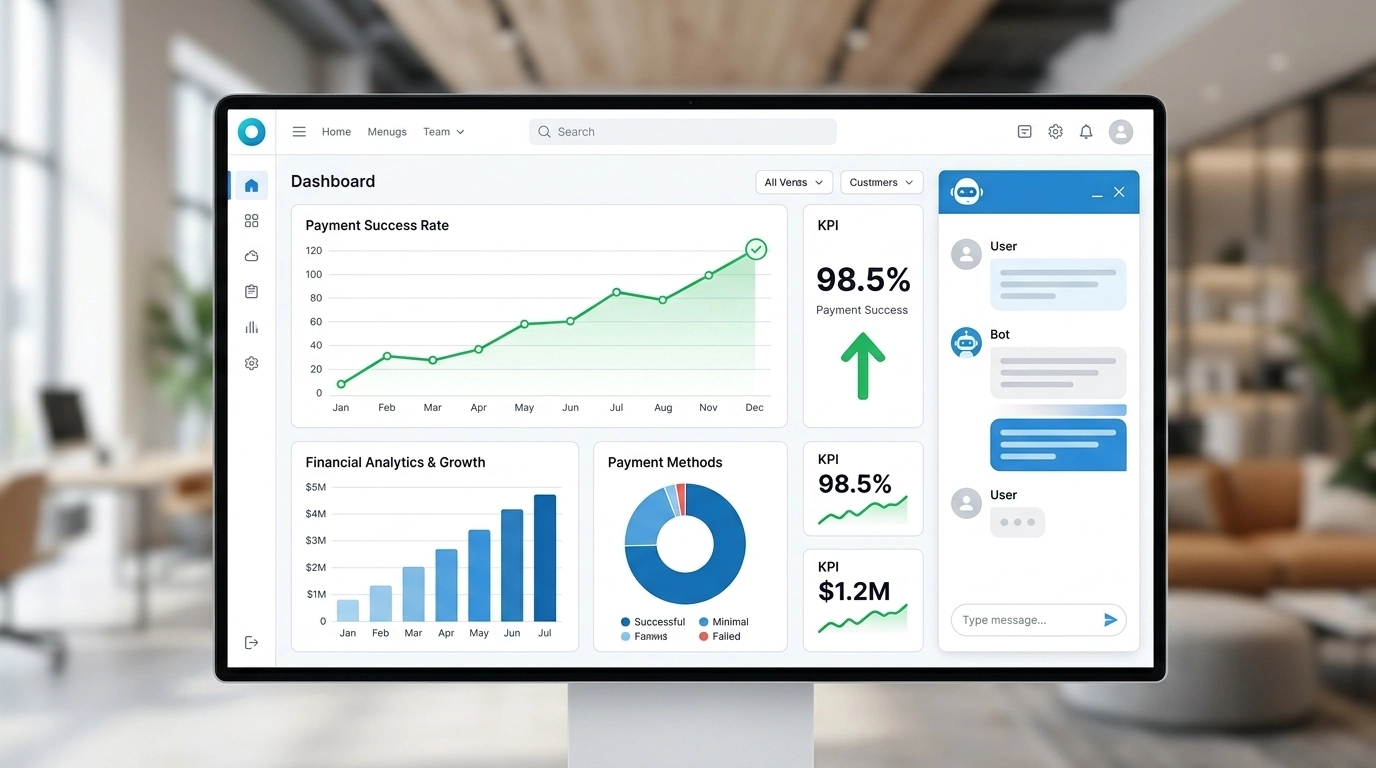
Busting the "Robotic" Myth
Many business owners fear that AI will make their billing support feel cold. In reality, promptness is the highest form of customer service.
- Myth: Customers want to talk to a human about their bill.
- Reality: Customers want their billing issue resolved now. If an AI can provide an invoice in 10 seconds while a human takes 10 hours, the customer will choose the AI every time.
By automating the mundane, your human staff is freed up to handle the 20% of cases that truly require empathy, such as helping a long-term client navigate a difficult financial month.
The Financial Reality: Measuring ROI
Implementing AI automation for business billing is not just a "nice-to-have" feature; it is a direct contributor to your bottom line.
| Metric | Traditional Manual Billing | AI-Automated Billing |
|---|---|---|
| Cost per Inquiry | $15 – $25 (Labor + Overhead) | < $1.00 |
| Response Time | 2 – 24 Hours | < 1 Minute |
| Accuracy Rate | 87.5% | 97% + |
| Payment Velocity | Standard (30-45 Days) | Accelerated (20-25 Days) |
Calculate your potential ROI: Multiply your monthly billing support tickets by $15. If you process 200 inquiries a month, you are spending $3,000 on routine tasks that an AI agent could handle for a fraction of the cost.

Implementation Checklist: Your 90-Day Roadmap
To move from manual friction to automated efficiency, follow this structured roadmap:
Days 1-30: Foundation and Integration
- Audit your FAQ: Identify the top 5 billing questions asked over the last 6 months.
- Connect your data: Integrate your billing platform (Stripe, QuickBooks, etc.) with your Reply Botz agent.
- Define the Voice: Ensure the AI uses your brand's specific terminology (e.g., "Subscription" vs. "Membership").
Days 31-60: Testing and Shadowing
- Run in "Shadow Mode": Have the AI draft responses to billing tickets for human approval before sending.
- Refine NLU: Train the agent on specific edge cases (e.g., partial payments or multi-currency billing).
- Set Escalation Rules: Define exactly when a billing issue becomes a "human-only" ticket.
Days 61-90: Full Deployment and Optimization
- Go Live: Enable 24/7 autonomous billing support for Tier 1 inquiries.
- Monitor CSAT: Track customer satisfaction specifically on billing-related tickets.
- Review Payment Velocity: Compare your "Days Sales Outstanding" (DSO) to your pre-automation baseline.
Conclusion
Automating the "awkward" parts of your business is about more than just saving money; it is about protecting your time and your brand's reputation. By removing the manual burden of billing, invoices, and payments, you allow your business to scale without the linear increase in support costs.
Ready to stop chasing invoices and start growing? Start small, prioritize high-impact cases, and measure your success. At Reply Botz, we help small businesses look like 100-person enterprises through the power of smart automation.
Frequently Asked Questions (FAQ)
1. Is AI billing support secure?
Yes. Modern AI agents function as a secure layer over your existing encrypted billing systems. They do not "store" credit card numbers; they simply interact with your payment processor (like Stripe or PayPal) via secure APIs.
2. Can the AI handle refund requests?
Yes, but we recommend a Human-in-the-Loop approach for refunds. The AI can gather the necessary information (order number, reason for refund) and then present it to a manager for a "one-click" approval.
3. What if the AI gives the wrong billing information?
By using RAG (Retrieval-Augmented Generation), the AI only pulls data directly from your verified ledger. This virtually eliminates the "hallucinations" common in generic AI models.
4. How much does it cost to set up?
Most SMBs can deploy a comprehensive AI automation stack for under $100/month, which pays for itself within the first few recovered hours of staff time.
Editor’s Note: This piece was developed using AI-assisted research and drafting to ensure data precision and speed. It has been reviewed, edited, and fact-checked by Wolf Bishop to ensure it meets our standards for strategic depth and lived experience.